Overview
Jobber helps job seekers take control of their job search. Instead of juggling spreadsheets and browser tabs, users manage their entire pipeline in one place: save jobs from any website with a Chrome extension, track applications through customizable stages, build and tailor resumes with AI assistance, generate cover letters, and analyze their search performance with detailed analytics. The platform supports both list and Kanban board views, giving users flexibility in how they organize their pipeline.
Who It's For
Software engineers, tech professionals, and active job seekers who want to organize, optimize, and accelerate their job search with AI-powered tools.
Launched
2025-01
Screenshots
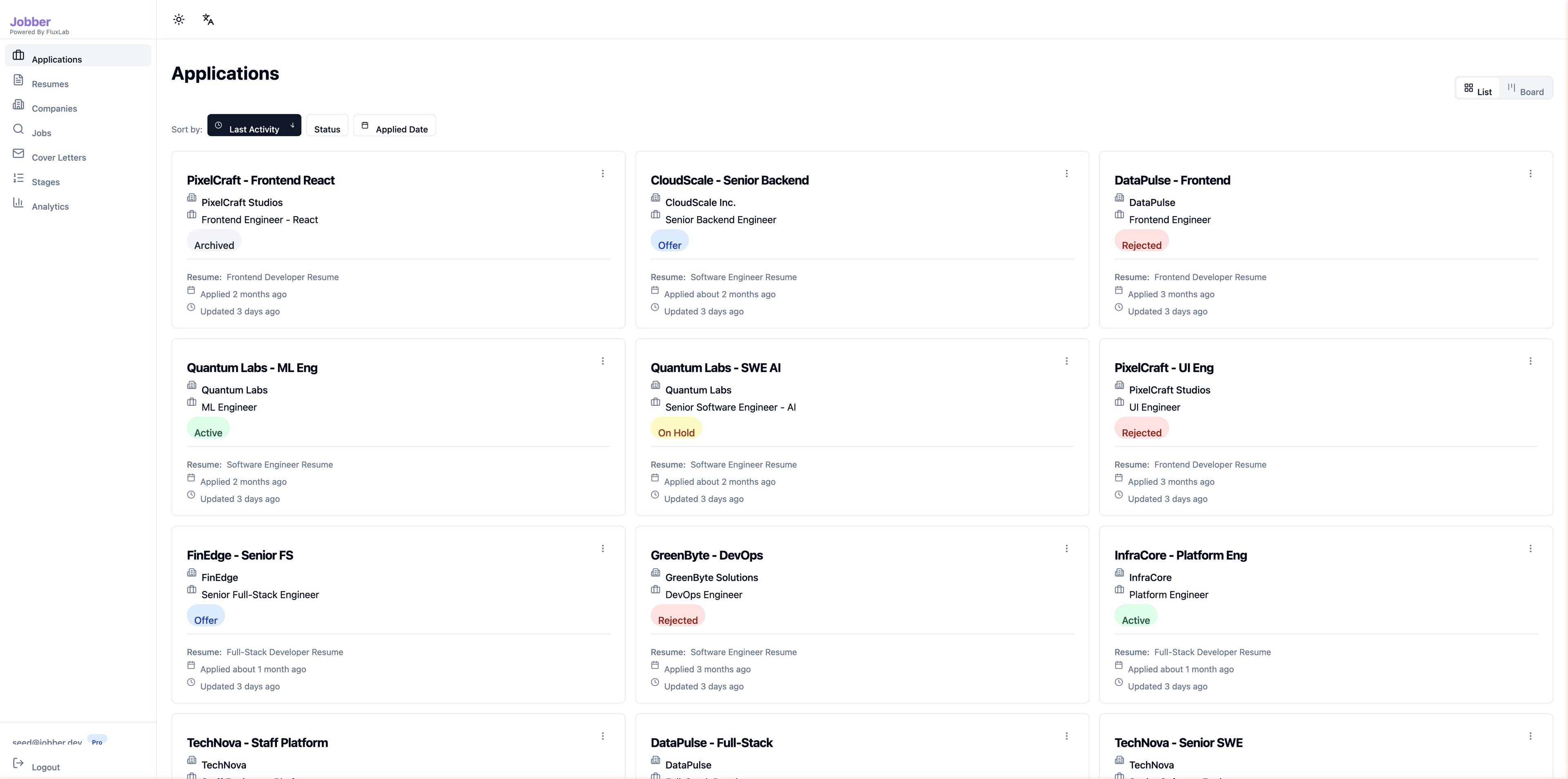
Application Tracking — List View
The central hub for managing your job search pipeline. Every application is displayed as a card showing the job title, company, role, current status, linked resume, and timestamps.
- Color-coded status badges: Active, Offer, Rejected, On Hold, Archived
- Sort by Last Activity, Status, or Applied Date
- Toggle between List and Board views
- Each card shows linked resume and application/update dates
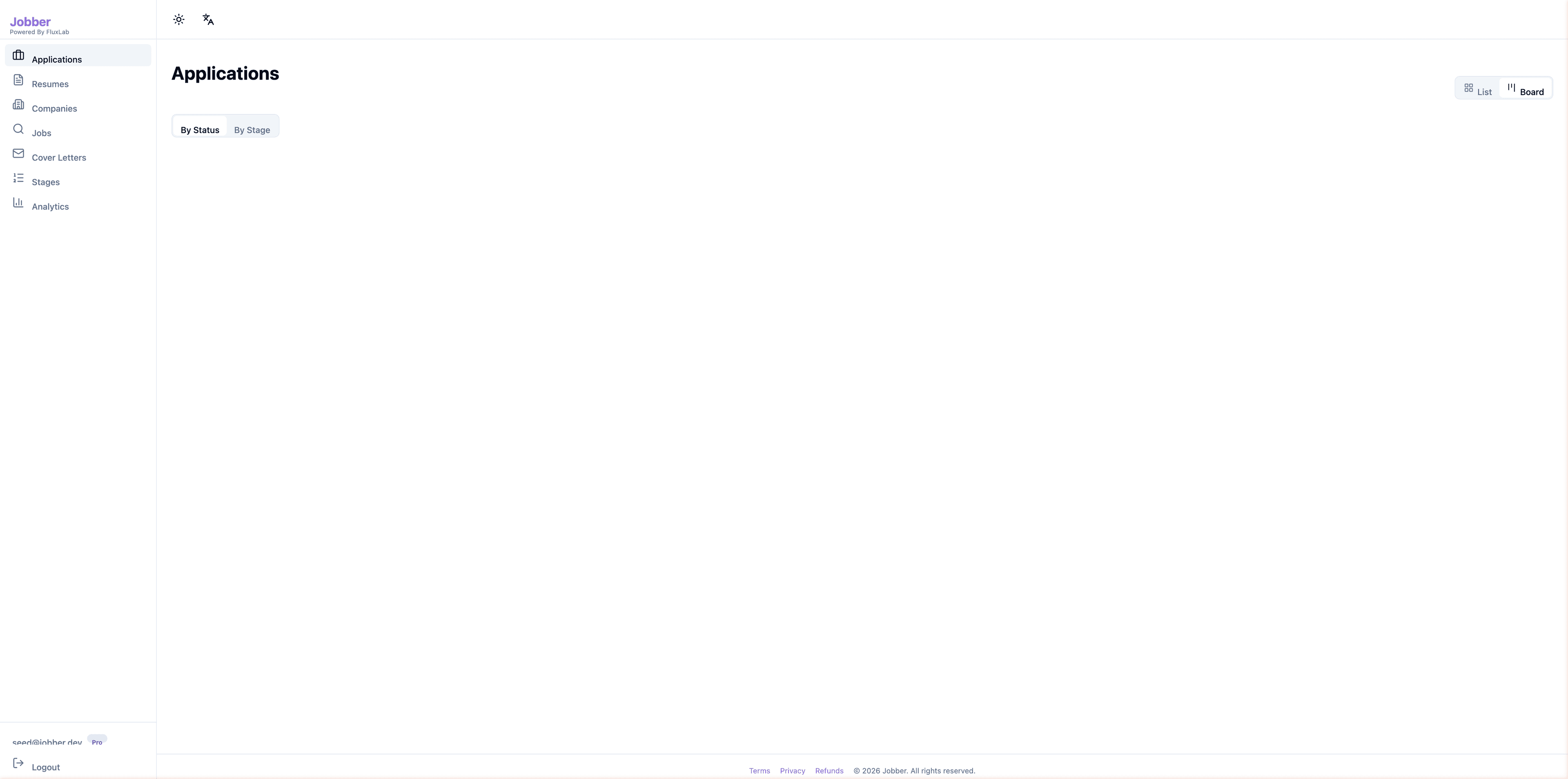
Application Tracking — Kanban Board
Visualize your pipeline as a Kanban board organized by status or interview stage. Drag-and-drop cards between columns to update application progress instantly.
- Two board modes: By Status and By Stage
- Drag-and-drop with optimistic UI updates
- Column counts show pipeline distribution at a glance
- Same card details as list view — no context lost
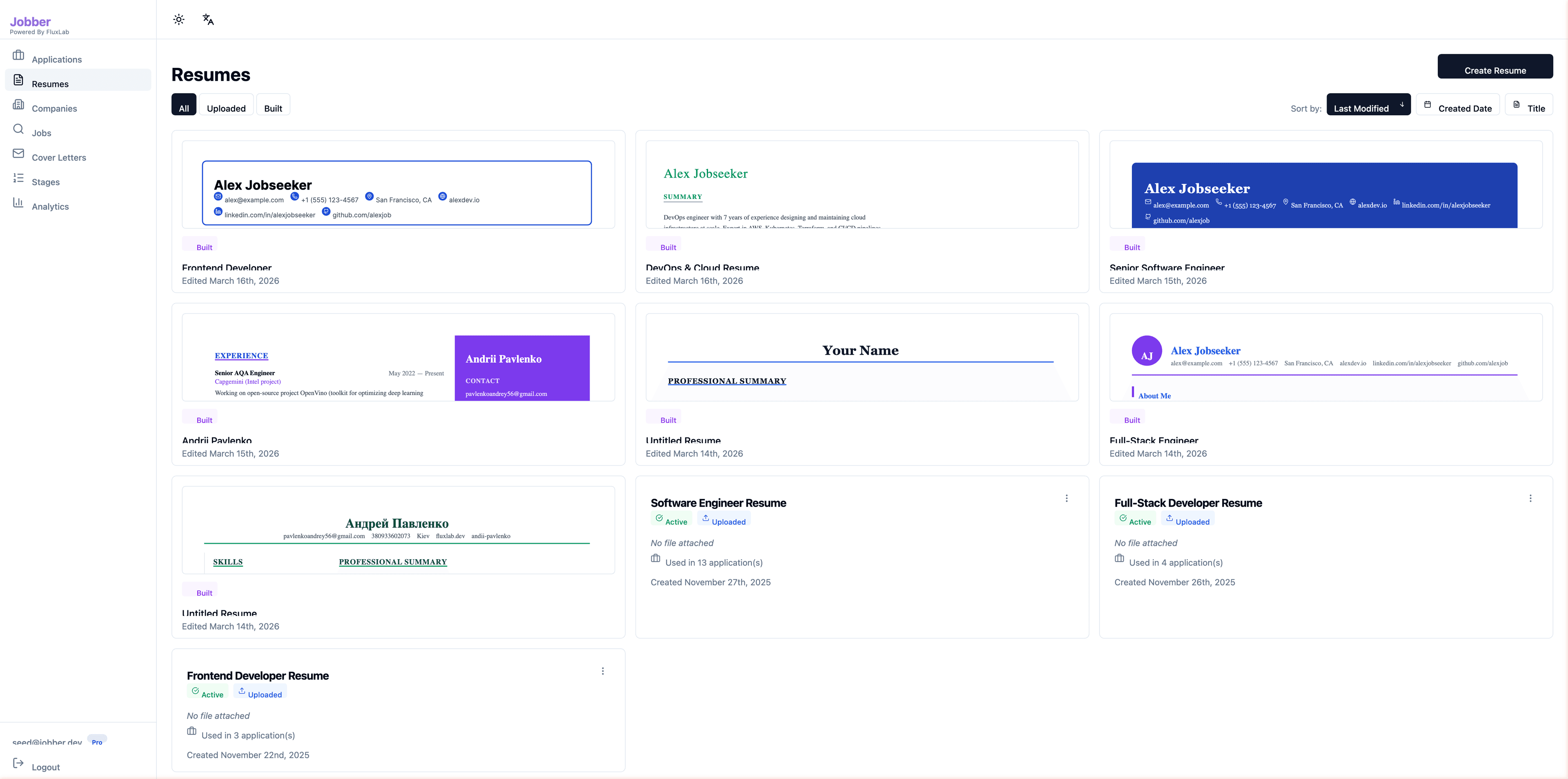
Resume Management & AI Builder
Manage multiple resume versions — both uploaded PDFs and resumes built directly in Jobber. The AI builder generates professional summaries and bullet points tailored to your experience.
- Filter by All, Uploaded, or Built resumes
- Visual resume previews with live formatting
- Sort by Last Modified, Created Date, or Title
- Track which resumes are used in how many applications
- Active/Inactive status to manage resume versions
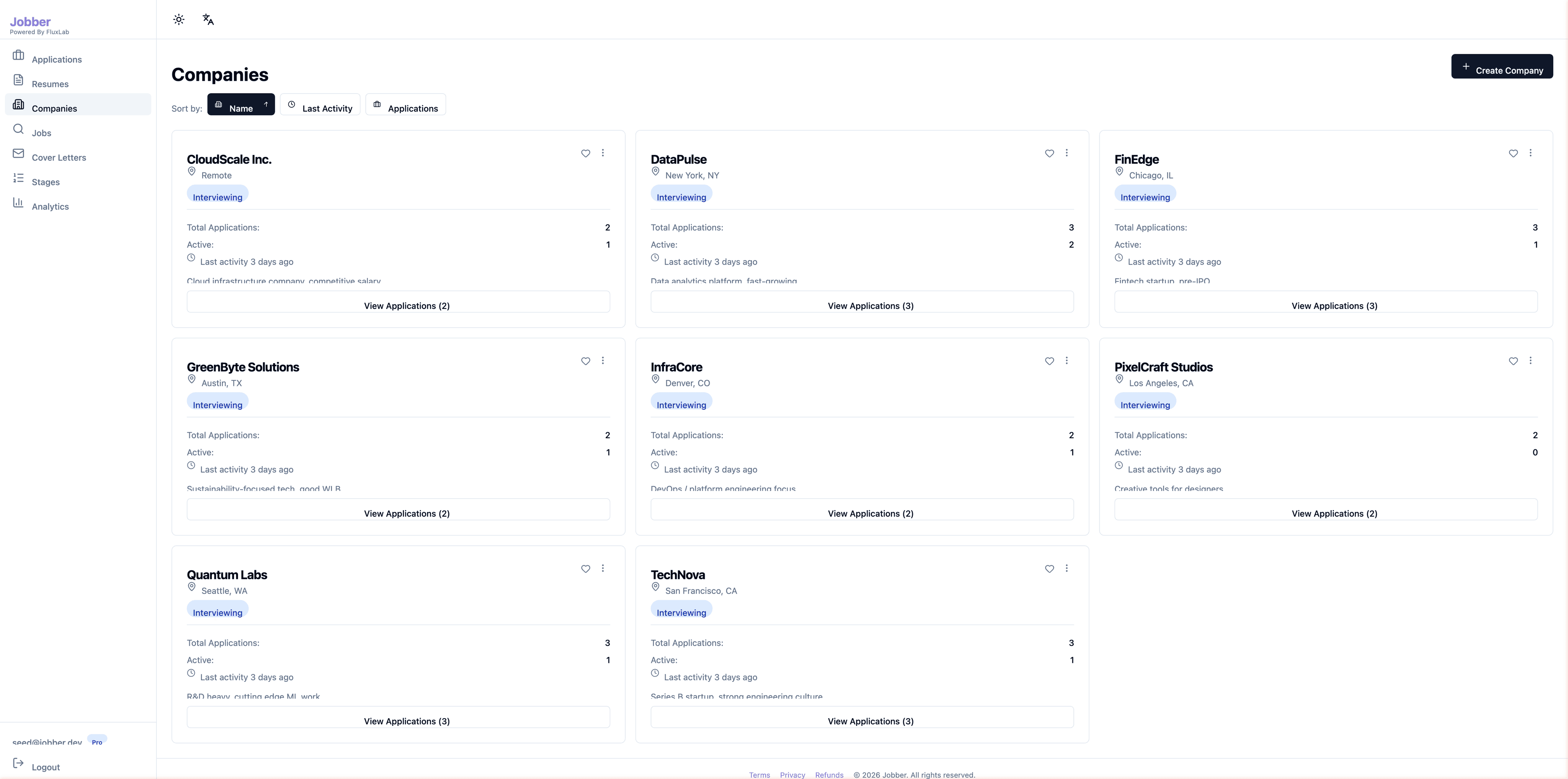
Company Management
Organize and track all companies you're applying to. Each card shows enriched statistics calculated from your applications — total count, active applications, last activity, and derived status.
- Auto-derived company status: Idle, Active, Interviewing
- Total and active application counts per company
- Sort by Name, Last Activity, or Applications count
- Quick "View Applications" link to filtered application list
- Company location and notes for context
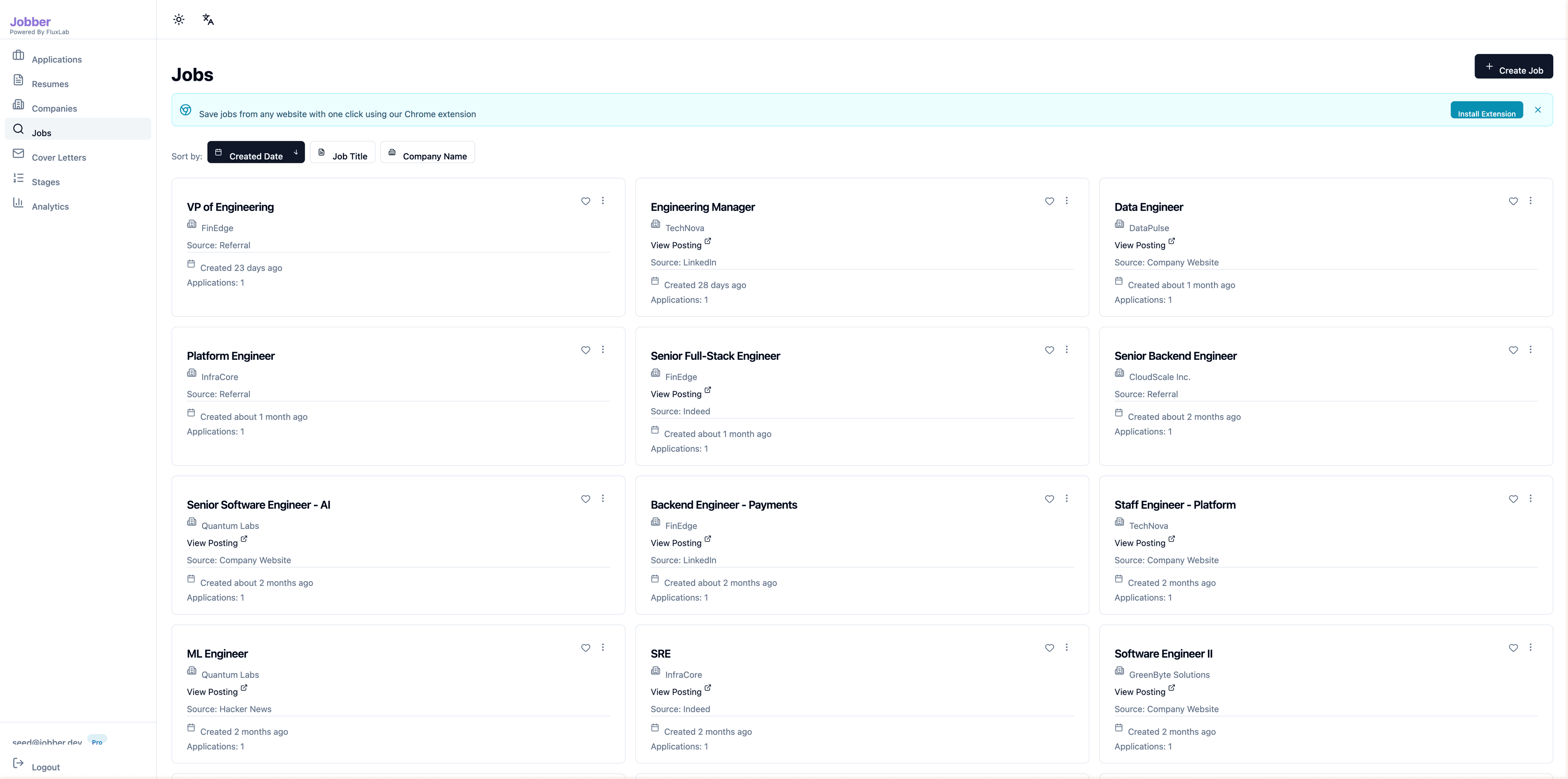
Job Board & Chrome Extension Import
Browse and manage all saved job postings. Jobs can be added manually or imported from any website with one click using the Chrome extension — AI automatically parses job details.
- Chrome extension banner: save jobs from any website
- Sort by Created Date, Job Title, or Company Name
- Each card shows company, source (LinkedIn, Referral, etc.), posting link, and application count
- View Posting links open the original job listing
- AI-powered parsing extracts title, company, location, and salary
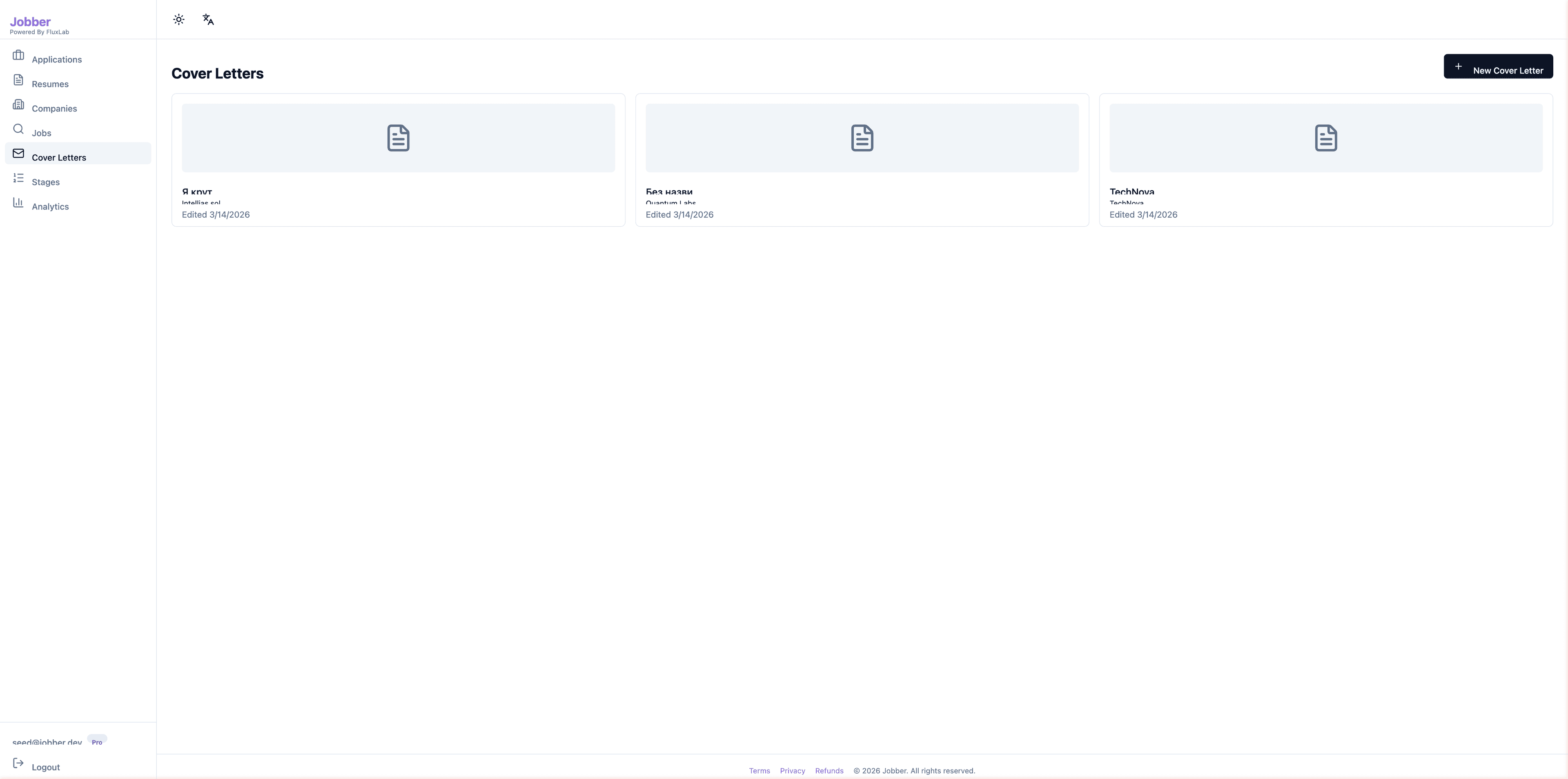
AI Cover Letter Generation
Create and manage cover letters tailored to specific jobs and companies. AI generates drafts based on the job description and your resume, which you can edit and refine.
- Card-based gallery of all cover letters
- Each letter linked to a specific company
- AI generation with one-click improvements
- Edit timestamps to track latest versions
- Create new cover letters with the "+" button
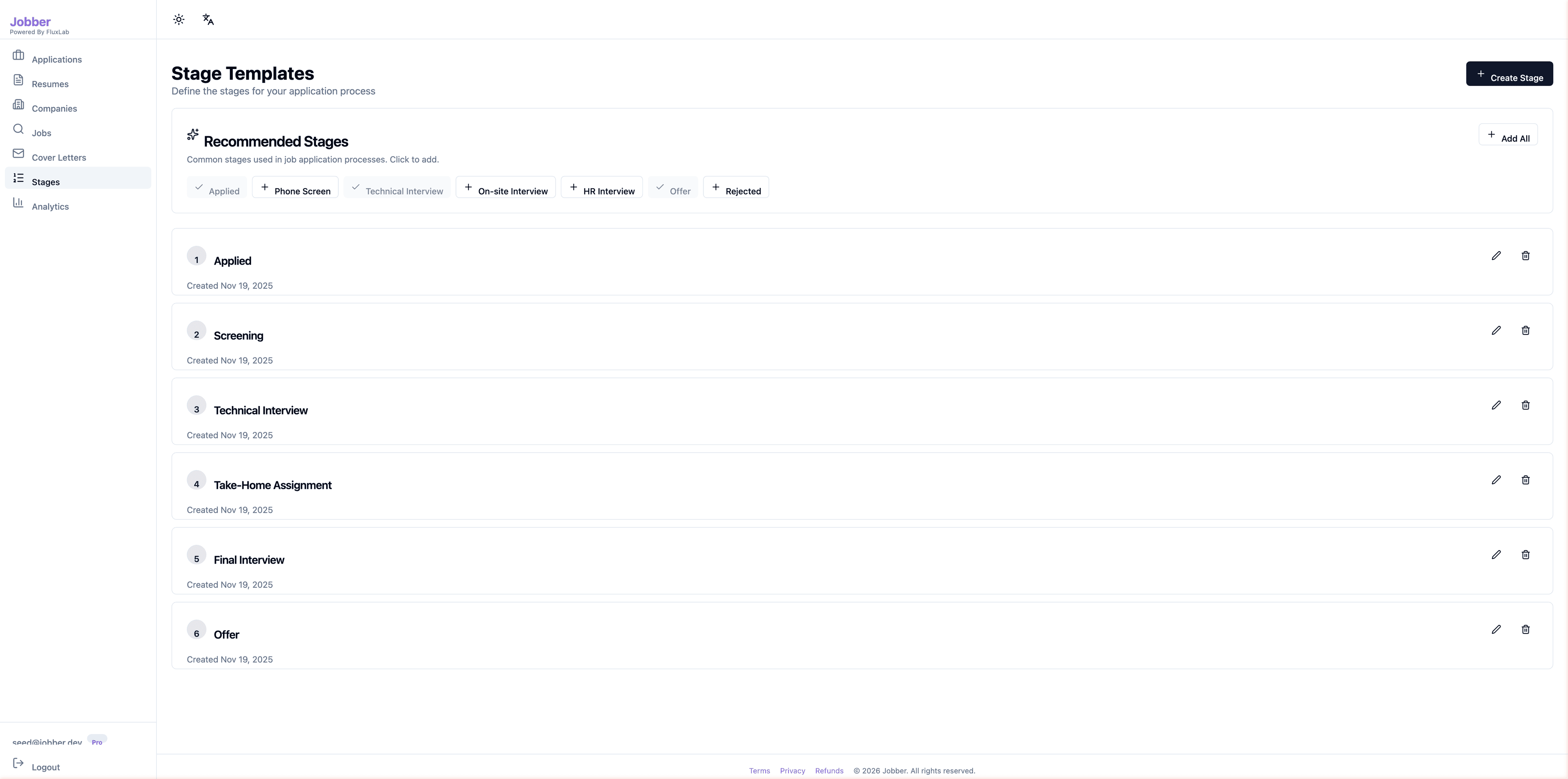
Customizable Interview Stage Templates
Define your interview pipeline stages once, then reuse them across all applications. Recommended stages can be added with one click, or create custom stages that match your process.
- Recommended stages: Applied, Phone Screen, Technical Interview, On-site, HR, Offer, Rejected
- One-click "Add All" to apply recommended stages
- Custom stage creation with ordering
- Edit and delete stages with confirmation
- Numbered sequence for clear pipeline visualization
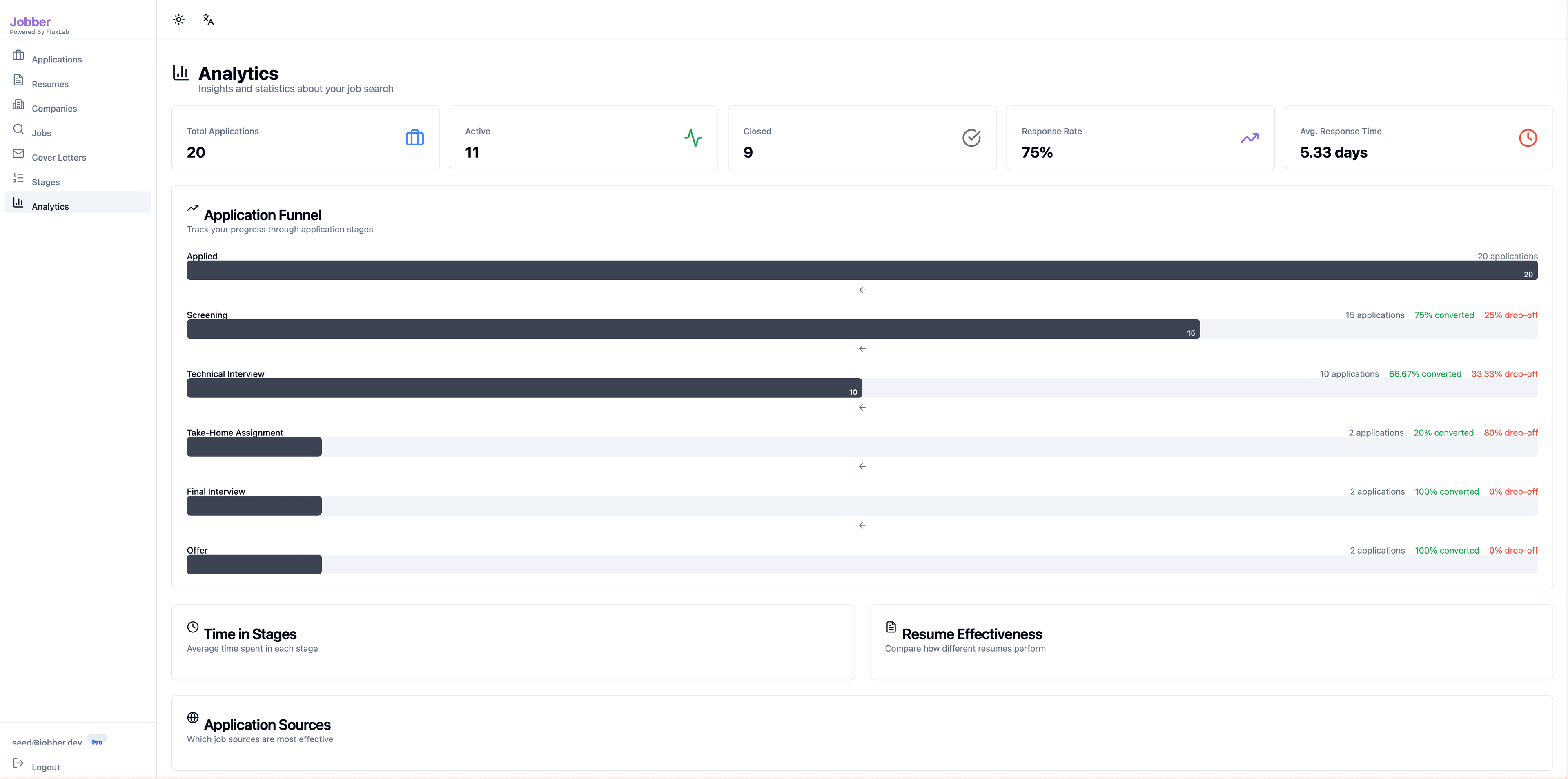
Analytics Dashboard
Get data-driven insights into your job search. The dashboard shows KPI cards, a visual application funnel with conversion rates, and additional reports for time-in-stage, resume effectiveness, and source performance.
- KPI cards: Total Applications, Active, Closed, Response Rate, Avg. Response Time
- Application Funnel: visual stage-by-stage conversion with drop-off rates
- Time in Stages: average days spent at each interview step
- Resume Effectiveness: compare which resume versions perform best
- Application Sources: track which job boards produce the most results
The Challenge
Job seekers lose track of applications across dozens of job boards and email threads. They have no visibility into their pipeline health — which stages have the highest drop-off, which resume versions perform best, or how long they've been waiting for responses. Manually tailoring resumes and cover letters for each application is time-consuming and inconsistent.
Our Solution
Jobber centralizes the entire job search workflow. A Chrome extension captures job postings with one click, AI parses job details automatically using a layered approach (JSON-LD, DOM extraction, Claude LLM). The built-in resume builder creates ATS-friendly resumes with AI-generated summaries and bullet points. Cover letters are generated and tailored per job. Analytics dashboards show funnel conversion rates, time-in-stage metrics, resume effectiveness comparisons, and application source performance.
Key Features
Application Tracking
Track applications through customizable stages with list and Kanban board views, status filters, and sorting by activity
AI Resume Builder
Build ATS-friendly resumes with AI-generated summaries, bullet point suggestions, and job-to-resume match scoring
Cover Letter Generation
Generate and tailor cover letters for specific jobs with AI assistance, templates, and one-click improvements
Job Import & Chrome Extension
Save jobs from any website with one click — AI automatically extracts title, company, location, and salary details
Company Management
Organize companies with enriched statistics: application counts, activity status, and quick navigation to related applications
Analytics Dashboard
Application funnel analysis, time-in-stage metrics, resume effectiveness comparison, and source performance tracking
Key Results
Ready to Build Something Similar?
Let's discuss how we can help you solve your business challenges with custom software.